

Payroll, attendance and HR for small businesses in the Philippines
You didn’t start a business to do payroll.
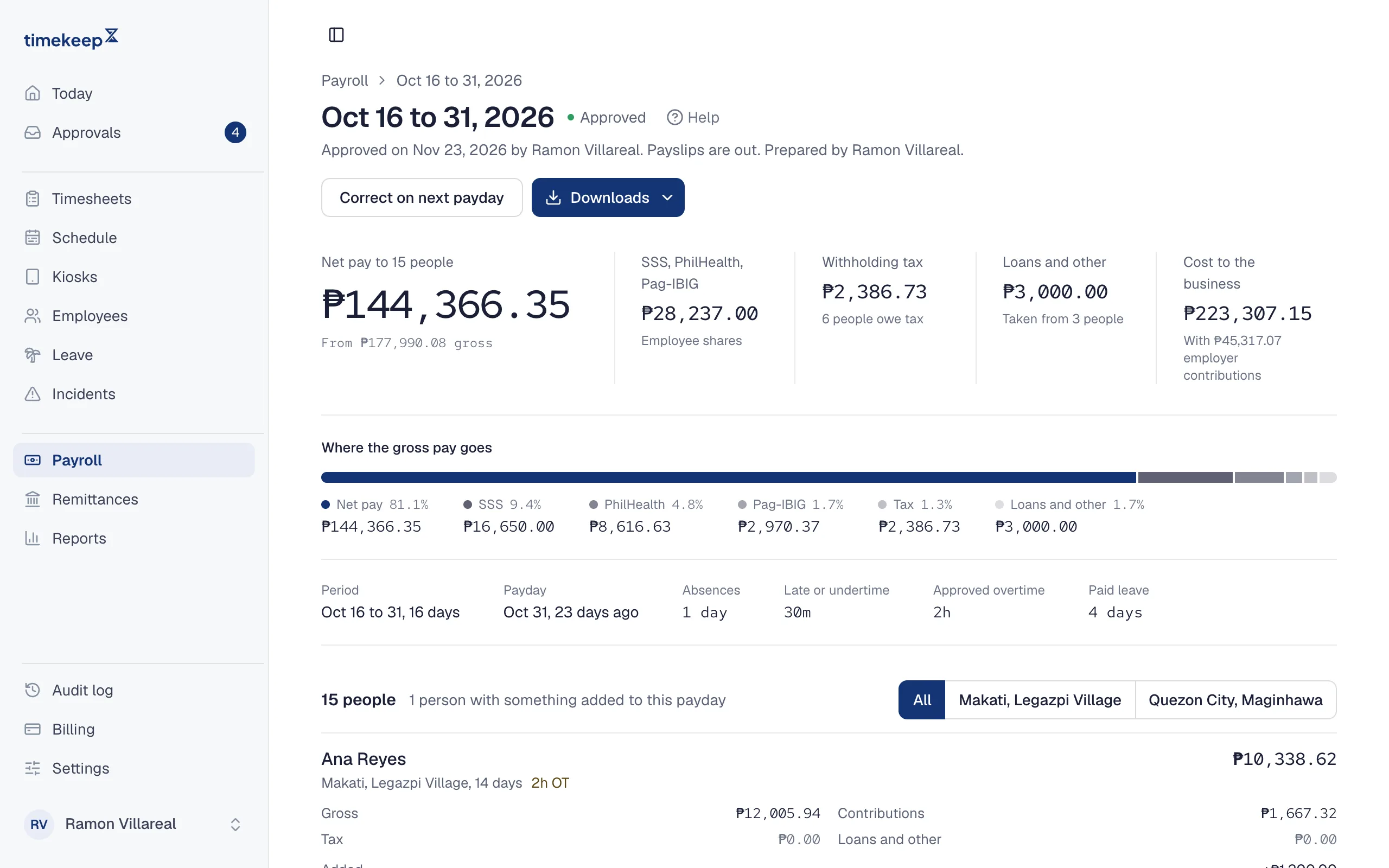
Your staff clock in. Timekeep adds up the hours, the holiday pay and the SSS, PhilHealth, Pag-IBIG and tax. You check it and approve.
25 employees on Starter costs ₱2,465 a month. No card to start.
Businesses that run their payroll on Timekeep



















Set it up tonight. Run payroll this cutoff.
No call with sales and no one to install anything. Your payroll admin can set it up from the Excel sheet you already keep.
- 1Add your peopleImport them from the Excel sheet you already keep.
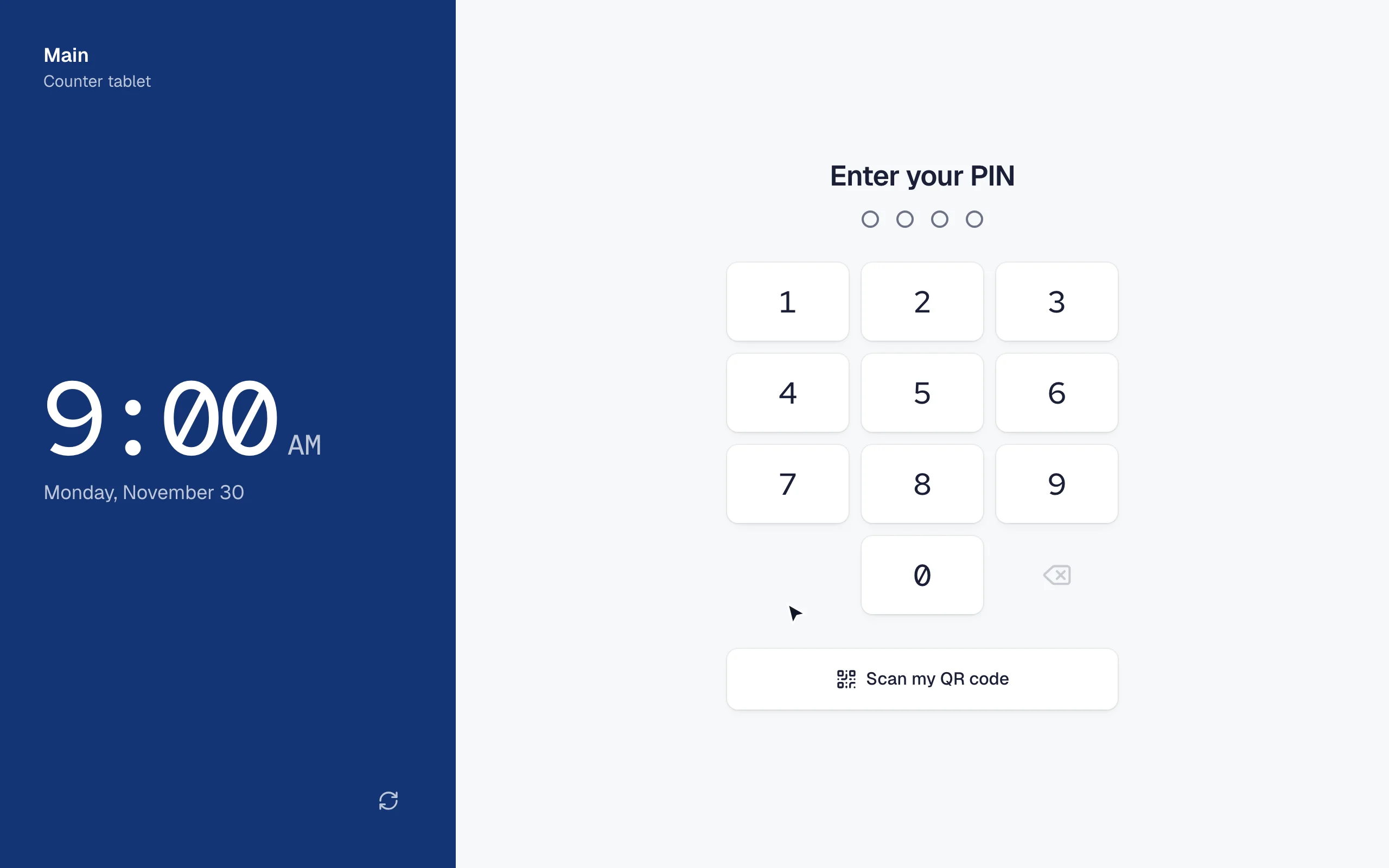
- 2They clock inOn their own phone, or on a tablet at the counter. Each clock-in takes a photo and a location.
- 3You check and approvePayslips go to their phones. The SSS, PhilHealth, Pag-IBIG and BIR files are ready for you to upload.
1 · Clock-in you can trust
Know who clocked in, and where.
A tablet at the counter for the whole team, or each person’s own phone. No biometrics machine to buy.
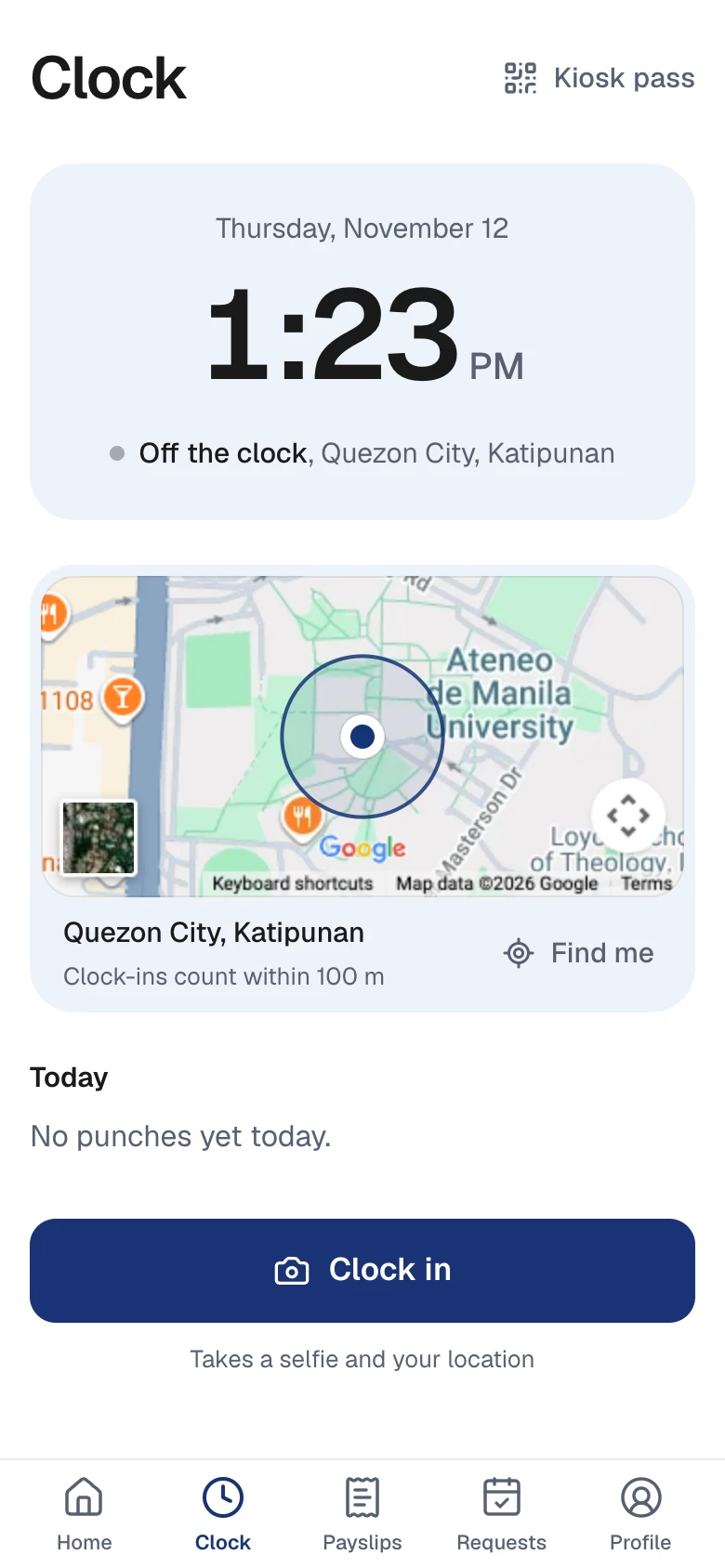
- A photo every timeWhen a friend punches in for someone still on the jeepney, you see the friend’s face.
- Were they at the branch?A clock-in from somewhere else is saved and marked. You accept or reject it before payroll.
- Is it really them?Pro and PremiumTimekeep compares the photo with the one on file and tells you when the face does not match.
2 · Payroll, contributions and tax
Pay, contributions and tax, worked out for you.
From the punches to the payslip to the files each agency asks for. You check it and approve.
1 From her hours
Nov 16 to 30, from her clock-ins
Ana Reyes, ₱755 a day
- 12 days worked
- ₱9,060.00
- Nov 30 holiday, not worked
- ₱755.00
- Special days, 23h 42m at +30%
- ₱671.01
- Late, 18 minutes
- −₱28.31
- Earnings
- ₱10,457.70
2 To her payslip
Nov 16 to 30, payday Nov 30
Ana Reyes, server
- Earnings
- ₱10,457.70
- SSS
- −₱975.00
- PhilHealth
- −₱492.32
- Pag-IBIG
- −₱200.00
- Withholding tax
- ₱0.00
- Net pay
- ₱8,790.38
3 To the government files
November, her share plus yours
Ana’s line in each file
- SSS collection list
- ₱2,955.00
- PhilHealth RF-1
- ₱984.65
- Pag-IBIG MCRF
- ₱400.00
- BIR 1601-C, minimum wage
- ₱0.00
- To remit for Ana
- ₱4,339.65
And the same for the other 13 people in the run.
- The pay the law saysHoliday pay, special day premiums, overtime and night differential, worked out from the punches for every person, every cutoff.
- Contributions and taxSSS, PhilHealth, Pag-IBIG and withholding tax, from tables we keep current when an agency updates one.
- Government files, readyThe SSS lists, RF-1, MCRF, STLRF and 1601-C come out of the same payroll. Uploading and paying stays with you.
3 · Your staff’s own phone
Payslips, schedules and leave, on their phone.
Nothing to print and no one asking you on payday. Each person sees only their own.
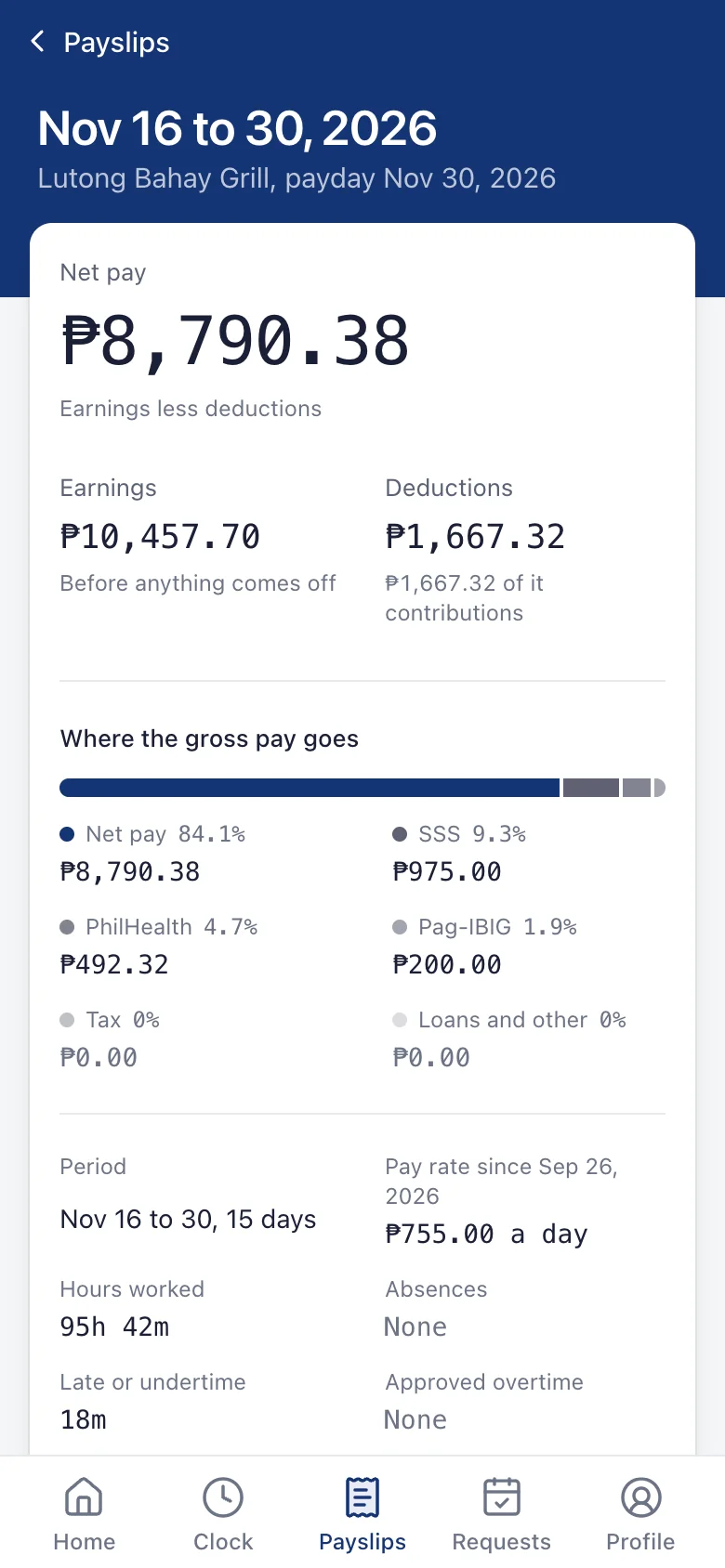
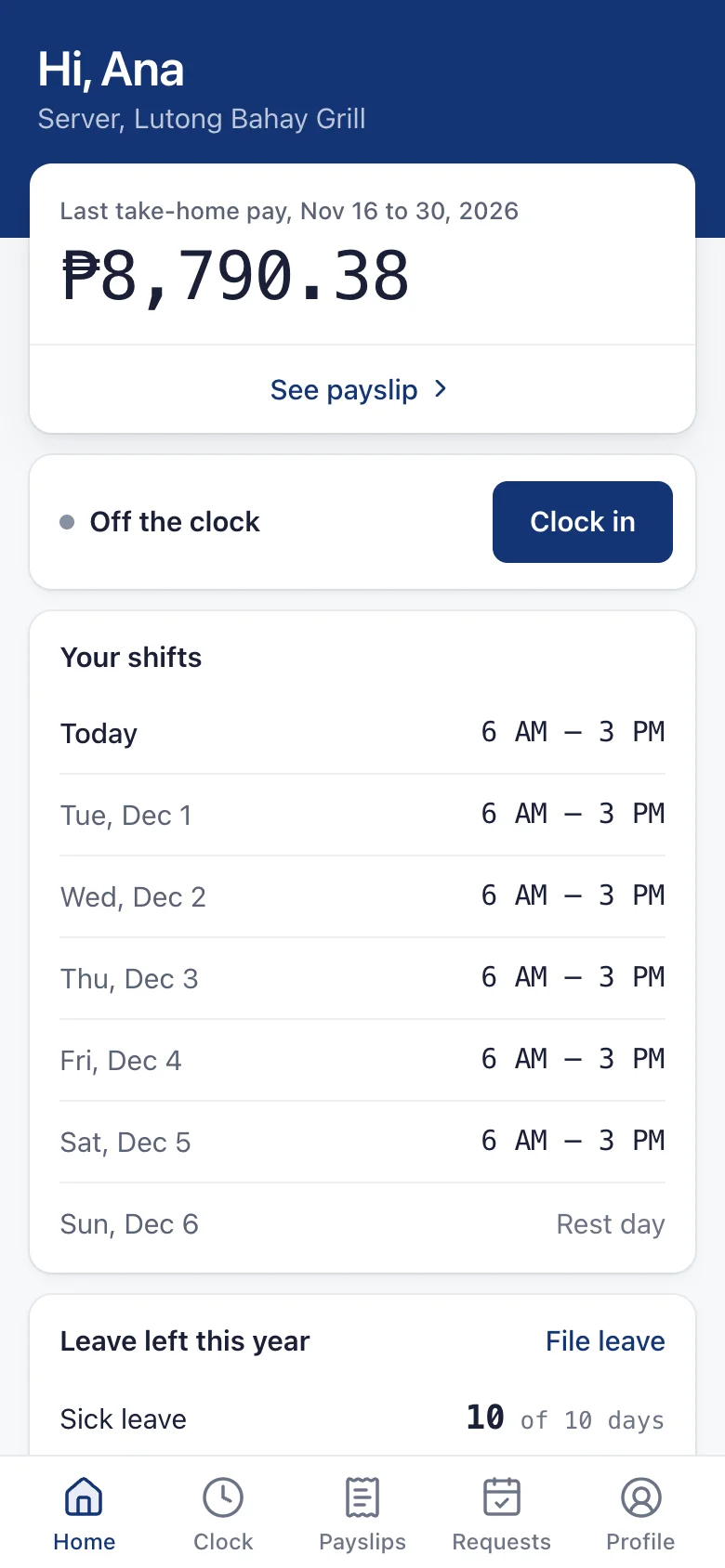
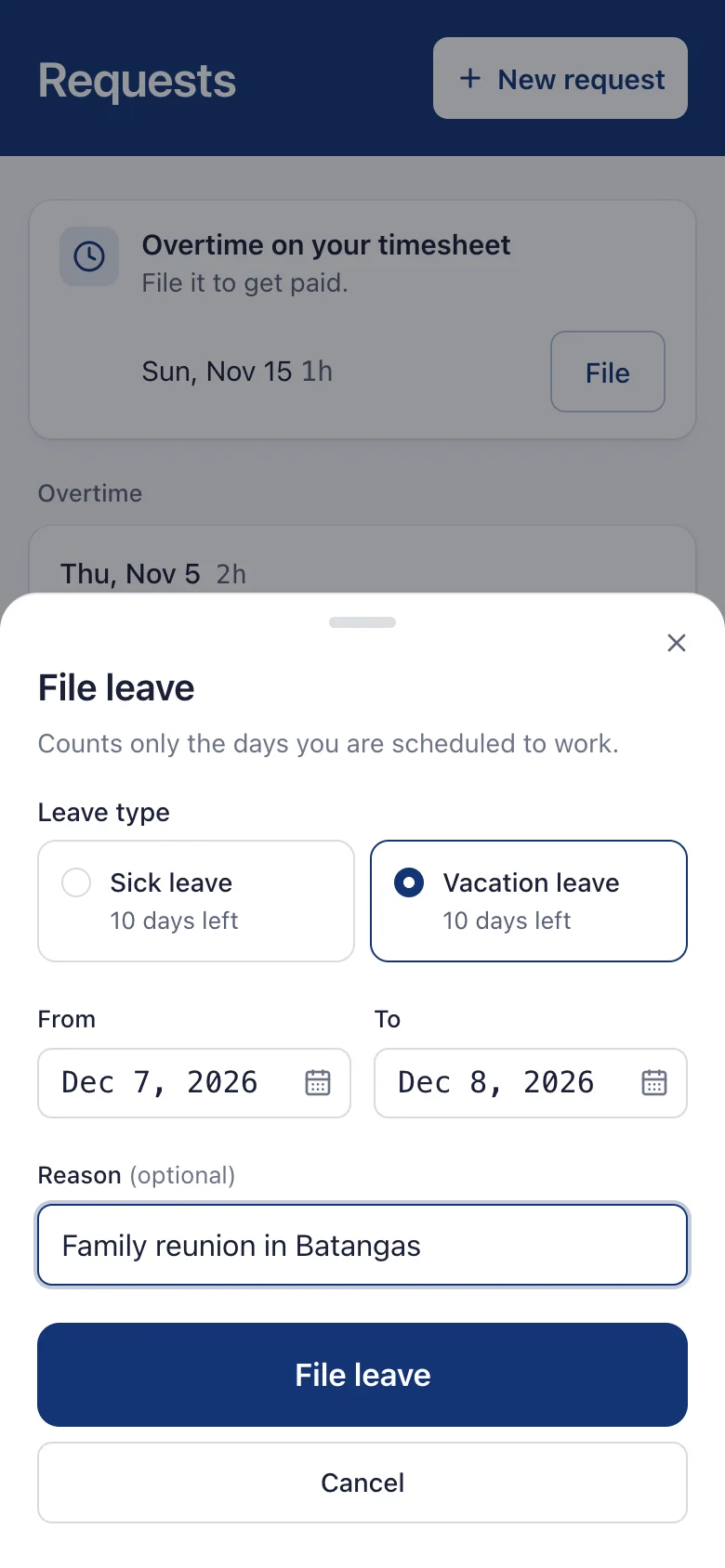
- PayslipsReady once you approve, with a plain explanation of every line. No printing, no envelopes.
- SchedulesTheir next seven days, so the roster is not buried in a group chat.
- LeaveThey see what is left and file from their phone. Approved leave goes straight into payroll.
What changed at their cutoff.
In their own words, from owners who run payroll on Timekeep.
Before
“We were checking attendance by hand for every single employee, and mistakes slipped through nearly every cutoff.”
With Timekeep
“Now the numbers come out faster and cleaner, and I get to review them before payday.”
Kate UngMeltin’ Pot“The photo-based clock-ins keep everyone accountable, the custom cutoff works for how we run payroll, and our staff can check schedules and payslips from their phones. It saves us hours of manual work.”
Beda T Jimenez IIGrenouille“Timekeep gives us attendance, payroll tracking, and staff scheduling in one affordable system. It helps us run the business with the kind of structure and visibility you usually expect from much bigger software.”
Peter Paul DayananPaul Kaldi Coffee“One of our biggest challenges has always been staff and schedule management, as well as payroll calculation. Timekeep has significantly improved the way we do things.”
Alahna Sam SyOwner, Neighbor CoffeeA team of 25, on Starter
₱2,465
a month, with every government file included. No call with sales to find out.
- Starter₱990a month, plus ₱59 per employee1 branch
- Pro₱1,990a month, plus ₱79 per employeeUp to 5 branches
- Premium₱3,990a month, plus ₱99 per employeeNo branch limit
What owners ask before they switch.
Straight answers, no call needed. If yours is not here, email us.
Switching over
- We run payroll in Excel today. How do we move?
- Import your employees from Excel and keep the pay schedule you already use. Run your first payroll beside your old sheet and compare the two before you approve.
- Do we need someone to set it up for us?
- No. The Get started page takes you through six steps to your first payroll.
Paying for it
- What does it cost for a team our size?
- Starter is ₱990 a month plus ₱59 per employee, so 25 people is ₱2,465. Every price is on the pricing page, with no call to sales.
- Will we be charged when the trial ends?
- No. We don’t ask for a card during the trial. When it is over, you pick a plan before starting a new payroll run.
- What if we stop using Timekeep?
- It turns read-only. Everyone can still open everything and download payslips and reports, and staff can clock in for 7 more days.
Your team and branches
- Not all our staff have smartphones.
- Put a tablet at the counter and they clock in with a PIN. Staff without email can sign in with a code we send by text.
- We have more than one branch.
- Pro covers up to 5 branches and Premium has no limit. Each branch has its own manager, schedules and kiosk.
- What if the internet drops at the branch?
- Clock-ins still work. The phone or tablet keeps each one and sends it, with the time it was made, once the connection is back.
The government and your data
- Do you file with SSS, PhilHealth, Pag-IBIG and BIR for us?
- That part stays with you. We compute every amount and prepare the file each agency asks for, ready for you to upload and pay.
- Is our staff’s information safe?
- Government numbers, bank and e-wallet accounts, and photos are encrypted, and so is every connection. Staff see only their own records, and only you and your payroll admins see pay. We follow the Data Privacy Act of 2012.
Make your next cutoff the easy one.
Run it on Timekeep next to your Excel sheet, and compare every figure before you approve.
Start free for 30 days30 days free on Premium. We don’t ask for a card, so there’s nothing to cancel.