

The short answer
Private businesses in the Philippines do not have to use the Civil Service Commission's CS Form No. 48 to track employee attendance and Daily Time Records (DTR). Under Omnibus Rules Book III, Rule X and DOLE Department Order No. 238, Series of 2023, private employers can use any clear DTR format (paper, Excel, Google Sheets, or cloud timekeeping) as long as it records daily time-in and time-out, reflects unpaid meal breaks, carries employee authentication, and is kept on file for at least 3 years.
On this page
Download the free workbook: Philippine DTR Excel & Google Sheets Template (.xlsx). Includes 3 tabs: Tab 1: Private-Sector Semi-Monthly DTR (with overnight-safe formulas, half-day break protection, grace period, and OT split), Tab 2: Printable CS Form 48 for government offices and public schools, and Tab 3: Instructions & DOLE Notes.
Opening in Google Sheets: Upload the .xlsx file to Google Drive, open it with Google Sheets, and choose File → Save as Google Sheets. Duplicate Tab 1 once per employee and change Scheduled Shift In (for example, 08:00 for day staff and 22:00 for overnight staff). You can type times in 24-hour format (17:00) or AM/PM format (5:00 PM) as long as Excel or Sheets recognizes them as time values.
Private-sector DTR vs. CS Form No. 48
Many small business owners download CS Form 48 because it tops search results, then fight with its layout every cutoff. Here is how the two formats differ:
| Feature | Private-sector DTR (Tab 1) | CS Form No. 48 (Tab 2) |
|---|---|---|
| Who it is built for | Private SMEs (cafes, clinics, retail, offices) | Government agencies, LGUs, public schools (CSC) |
| Pay period layout | Semi-monthly (1–15 / 16–end) with cutoff totals | Full month (Days 1–31), two copies per printed sheet |
| Overtime & day types | Tracks regular hours, OT hours, rest days, and holidays | Focuses on AM/PM Arrival, Departure, and Undertime |
| Overnight shifts | Handles shifts crossing midnight (MOD formula) |
Breaks easily on shifts past midnight |
| Payroll readiness | Outputs decimal hours ready for hourly/daily pay math | Requires manual conversion of hours and minutes |
If you run a private shop, stick to Tab 1. It satisfies DOLE recordkeeping rules and cuts cutoff encoding time in half.
Fixing the overnight shift bug in Excel (### negative hours)
The single most common DTR spreadsheet error happens on overnight ("tawid-araw") shifts, such as a baker or guard clocking in at 22:00 (10:00 PM) and clocking out at 07:00 (7:00 AM) the next morning (logged on the shift's start date).
A basic subtraction formula (=D9-C9) produces a negative time value (-0.625), which Excel displays as ######## and breaks your cutoff SUM().
To fix it in both Excel and Google Sheets (and protect against text entries like OFF or ABSENT, plus half-days with no lunch break), Tab 1 uses:
=IF(OR(NOT(ISNUMBER(C9)),NOT(ISNUMBER(D9))),0,MAX(0,MOD(D9-C9,1)*24-IF(MOD(D9-C9,1)*24<=5,0,E9)))
C9is Time In,D9is Time Out,E9is Unpaid Break (hrs), and the result lands in Column F (Total Worked (hrs)).MOD(D9-C9, 1)automatically adds 24 hours wheneverTime Outis earlier on the clock thanTime In, converting22:00 → 07:00cleanly into 9.00 hours minus the 1.00-hour unpaid meal break = 8.00 hours worked.- Half-day protection: Shifts of 5 hours or less automatically skip the Column E break deduction so a 4-hour half-day (
08:00–12:00) stays 4.00 hours instead of accidentally dropping to 3.00 hours. - Regular and overtime split: Column G (
Regular (hrs)) caps at 8 with=MIN(8, F9), and Column H (Overtime (hrs)) splits hours past 8 with=MAX(0, F9-8).
Three formula caveats to watch in Excel:
- Identical punches (
08:00in and08:00out):MOD(0, 1)evaluates to0, which can hide a duplicate punch or a 24-hour shift. Always review zero-hour rows with punches. - Early clock-ins are not overtime:
=MAX(0, F9-8)counts arriving 30 minutes early (07:30) as 0.50 OT unless you verify Column J (Remarks / OT Approval) before paying overtime. - Night Shift Differential (10% from 10:00 PM to 6:00 AM): Tab 1 computes total worked hours for overnight shifts, but leaves the 10% night-diff add-on manual so the workbook stays easy to audit.
Worked peso example: turning a DTR row into cutoff pay
Take a barista earning ₱755.00/day (₱94.375/hour, or ₱1.5729/minute) across three typical days in Tab 1 (08:00–17:00 shift, 1-hour unpaid meal break, and a 10-minute grace period where arriving past 08:10 forfeits grace and counts all late minutes from 08:00):
| Date | Punches | Unpaid break | Hours & late result | Day's pay impact |
|---|---|---|---|---|
| Dec 1 (Workday) | 08:00 – 17:00 | 1.00 hr | 8.00 reg hrs, 0 mins late | ₱755.00 |
| Dec 2 (Late 15 mins) | 08:15 – 17:00 | 1.00 hr | 7.75 hrs / 15 mins late (15 × ₱1.5729) |
₱731.41 (−₱23.59) |
| Dec 3 (Approved 2h OT) | 08:00 – 19:00 | 1.00 hr | 8.00 reg + 2.00 OT (2 × ₱94.375 × 125%) |
₱990.94 (+₱235.94) |
Watch three payroll and DOLE rules on those rows:
- Never double-deduct tardiness or undertime: On Dec 2,
Total Workeddrops to7.75hours andLate (mins)shows15. Pay either7.75 × ₱94.375 = ₱731.41or₱755.00 − ₱23.59 = ₱731.41, never both. The same applies to undertime (leaving early before17:00), which reduces Column F below8.00hours. - Exact-minute late deduction (Art. 113): Under "no work, no pay," deduct only the exact minutes missed (
₱23.59for 15 minutes late), never a punitive 1-hour or half-day dock. - Unpaid vs. paid meal breaks (Art. 85): A 60-minute duty-free meal break is unpaid (
1.00in Column E). Shortened 20-minute meal breaks (permitted only in specific cases like 16-hour operations) and short 5-to-20-minute coffee breaks are paid working time (0.00in Column E).
What every Philippine DTR must keep for DOLE inspections
Under Labor Code Article 128(f), Omnibus Rules Book III, Rule X, and DOLE DO No. 238, Series of 2023, keep these four habits whether you use Excel or software:
- Employee verification: Have each employee sign or acknowledge their DTR at the end of the cutoff (printed Tab 1 includes signature lines at the bottom).
- Separate approved overtime: Only approved overtime should flow into payroll, though remember under Article 84 that overtime a supervisor knowingly allowed or required must still be paid.
- Keep DTRs for at least 3 years (and BIR payroll records for 5 years): Losing DTRs creates an adverse presumption against the employer in a DOLE wage claim (see our DOLE 3-year DTR retention and WFH guide and missed clock-out cutoff checklist). Separately, under NIRC Section 235 as amended by the Ease of Paying Taxes Act (RA 11976), keep payroll and tax books for 5 years (longer if an audit or dispute is pending).
- Digital records are explicitly allowed: DOLE DO 238-23 accepts cloud or electronic DTRs as long as you can show or print them on demand during inspection.
Where Excel DTR templates start breaking down
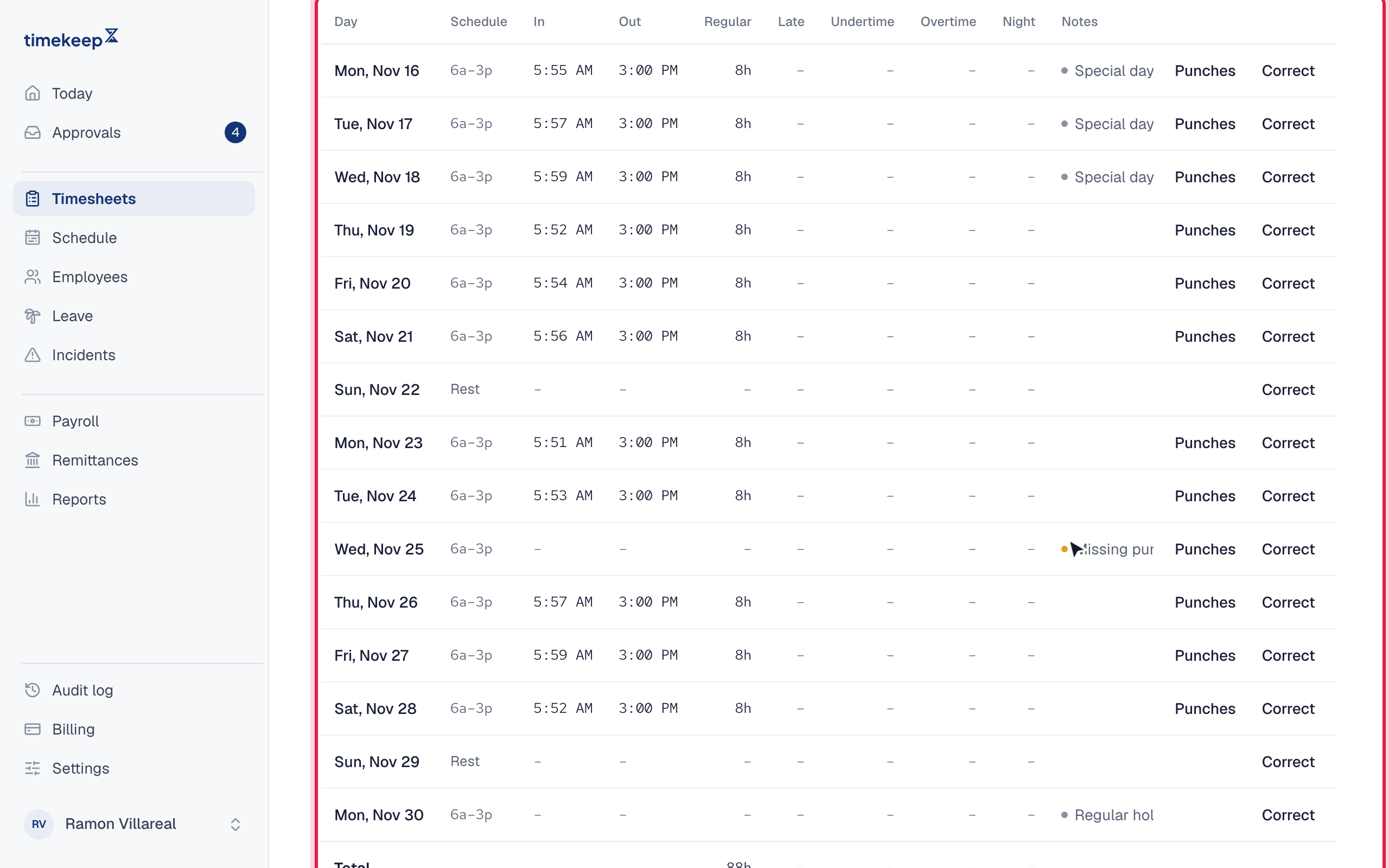
A clean spreadsheet works well for 3 to 5 staff on one fixed daytime shift. Most small businesses outgrow Excel DTRs around 6 to 15 employees when four things collide at cutoff:
- Missing clock-outs discovered 14 days later, after branch CCTV has already overwritten and nobody remembers who closed early.
- Night Shift Differential (10:00 PM–6:00 AM) overlapping unpaid meal breaks or holidays, which quickly turns Excel formulas unreadable.
- Multiple branches or rotating rest days, where Saturday is a regular workday for one barista and a 260% holiday rest day for another.
- Re-typing DTR totals into a separate payroll workbook, where a single copy-paste slip triggers payday disputes.
General information for Philippine employers, not legal or tax advice. Sample templates and computations are starting points—verify specific cases with DOLE, BIR, or your accountant or labor counsel before acting on them.