

The short answer
For a small Philippine business tracking employee attendance and DTR (Daily Time Record), the cheapest ₱1,500–₱3,500 USB fingerprint biometric machine rarely stays cheap once you count the hours spent fixing raw .dat logs every 15th and 30th. While a standalone USB scanner can work for a tiny 3-person dry office using Excel, most cafes, clinics, retail stores, salons, and multi-branch teams save both time and payroll errors with a shared tablet attendance kiosk that works offline and feeds verified punches straight into payroll.
On this page
- Side-by-side comparison: USB biometrics vs. ZKTeco LAN vs. tablet kiosk
- 4 hidden headaches with cheap Philippine biometric machines
- Real 2-year cost comparison (10-person shop vs. 2-branch team)
- When a standalone USB biometric is still fine
- Shop-floor checklist before switching to a tablet attendance kiosk
Side-by-side comparison: USB biometrics vs. ZKTeco LAN vs. tablet kiosk
| Feature | USB Flash-Drive Biometric | LAN / Wi-Fi ZKTeco Terminal | Cloud Tablet Kiosk |
|---|---|---|---|
| Upfront hardware | ₱1,500 – ₱3,500 | ₱4,500 – ₱12,000+ | ₱4,000 – ₱8,000 (reusable Android tablet or iPad) |
| Setup & PC needed | USB drive transfer to PC | Windows PC on same LAN (ZKTime.Net / BioTime) | Any tablet browser; 2-minute QR pairing |
| Wet, floury, or gloved hands | Frequent fingerprint failures | Frequent failures (unless pricier face model) | PIN + screen protector / optional face check |
| Internet & brownouts | Offline (dies on brownout without UPS) | Local LAN (dies without UPS) | Runs on battery; queues punches offline |
| Multi-branch visibility | Physically carry USB drives | Static IP, VPN, or paid cloud license | Live view across branches when online |
| DOLE 3-yr DTR & privacy | Local buffer overwrites; stores fingerprints | Local PC backup risk; stores fingerprints | Cloud 3-yr archive; PIN-only or timed photo checks |
4 hidden headaches with cheap Philippine biometric machines
Ask any small-business owner or bookkeeper who bought a budget biometric terminal online, and the same four problems come up every single cutoff:
- Corrupt
.xlsand raw1_attlog.datexports: Budget USB terminals export space-separated.datfiles or legacy Excel 97–2003.xlssheets with merged cells and double-taps (four timestamps within 90 seconds when an employee presses their thumb repeatedly). Before you can even compute lates or overtime, someone has to scrub the file by hand. - Missing IN and OUT direction: On popular entry-level models (such as standalone MB-series terminals when staff forget to press the
Check Outfunction key), every scan lands as an undifferentiated punch. The moment someone works an overnight shift, forgets one clock-out, or works a restaurant split shift, raw timestamps stop pairing cleanly and your DTR math breaks. - Windows-only legacy desktop software: Many LAN ZKTeco units rely on Windows-only desktop utilities (ZKTime.Net or older BioTime installers) tied to one office PC. If the owner uses a Mac, manages payroll from home, or opens a second branch across town, pulling attendance means asking branch staff to message exported files over Viber or Messenger.
- Optical fingerprint failures and lost 3-year DTRs: Fingerprint scanners fail regularly on wet, oily, flour-dusted, sanitized, gloved, or calloused fingers, forcing cafes, bakeries, clinics, and hardware shops back to paper logbooks (see our clinic schedule and kiosk guide and cafe shifts guide). Worse, under the Omnibus Rules Implementing the Labor Code (Book III, Rule X, Sections 7, 11, and 12), DOLE DO No. 238-23, and the 3-year money-claim period (Article 306), employers must retain DTRs for at least 3 years for DOLE inspection. Cheap terminals that overwrite old buffers or die with unbacked-up
.datfiles create real audit exposure.
Real 2-year cost comparison (10-person shop vs. 2-branch team)
Comparing only hardware sticker prices hides the biggest expense in small-business attendance: cleanup labor every 15 days. At the same time, software subscriptions add up over two years, so it pays to look at both total cash out and hours saved side by side.
Suppose a 10-person, 1-branch shop spends 3.5 hours every cutoff (7 hours/month, or 168 hours over 2 years) pulling USB files, chasing missed punches on group chat, rebuilding DTR totals, and keying figures into a payroll spreadsheet:
| Option (10 staff, 1 branch) | Hardware | 24-mo software | 2-year cash total | 2-year cleanup time |
|---|---|---|---|---|
| USB biometric + Excel | ₱2,500 | ₱0 | ₱2,500 | ~168 hours |
| LAN ZKTeco + Excel | ₱7,500 | ₱0 | ₱7,500 | ~108 hours |
| Tablet + cloud kiosk & payroll | ₱5,500 | ₱37,920 (₱1,580/mo) | ₱43,420 | ~12 hours |
Using a typical starter cloud attendance and payroll benchmark of ₱1,580/month for 10 staff (₱158/employee/month, or roughly ₱5.27 per calendar day), the 2-year cash gap is real (₱43,420 vs. ₱2,500), and it buys back ~156 hours of manual DTR and payroll work plus automatic government files and 3-year cloud DTR storage.
For a 2-branch, 15-person team, the gap narrows fast: two LAN ZKTeco terminals plus cabling, UPS backups, or a paid cloud/VPN add-on easily reach ₱18,000–₱30,000 upfront while still leaving you merging two branch spreadsheets every cutoff, whereas two ₱5,500 tablets (₱11,000) feed one unified cloud roster and payroll run.
When a standalone USB biometric is still fine
A tablet kiosk is not necessary for every business. A ₱2,500 USB biometric machine is still a sensible pick if:
- You have 3 to 6 salaried office staff on one fixed 9-to-6 daytime shift with clean, dry hands.
- You have a single location where the owner sits beside the device every cutoff and backs up every
.dat/ Excel DTR file for at least 3 years. - You prefer running attendance and payroll manually in spreadsheets (pair your exports with our free PH DTR Excel template and free semi-monthly payroll Excel template).
Shop-floor checklist before switching to a tablet attendance kiosk
If you are ready to retire your USB flash drive or paper logbook, switch cleanly on the 1st or 16th of the month (never mid-cutoff) and check six practical shop-floor details:
- Offline queueing, battery, and brownouts: Philippine branch Wi-Fi drops during storms and brownouts. Choose a kiosk that queues PIN punches in local tablet storage (surviving browser reloads) and uploads automatically when internet returns. Unlike plug-in USB units that go dark in a brownout, a tablet keeps running on battery; just keep it out of direct oven heat and use a battery charge limit or smart timer so 24/7 charging does not swell the battery.
- Simple staff PINs and a ₱150 glass protector: Counter and kitchen staff should not have to install an app on personal phones or buy mobile data just to clock in. Put a ₱150 tempered-glass screen protector on the tablet so floury or oily fingers wipe clean in seconds.
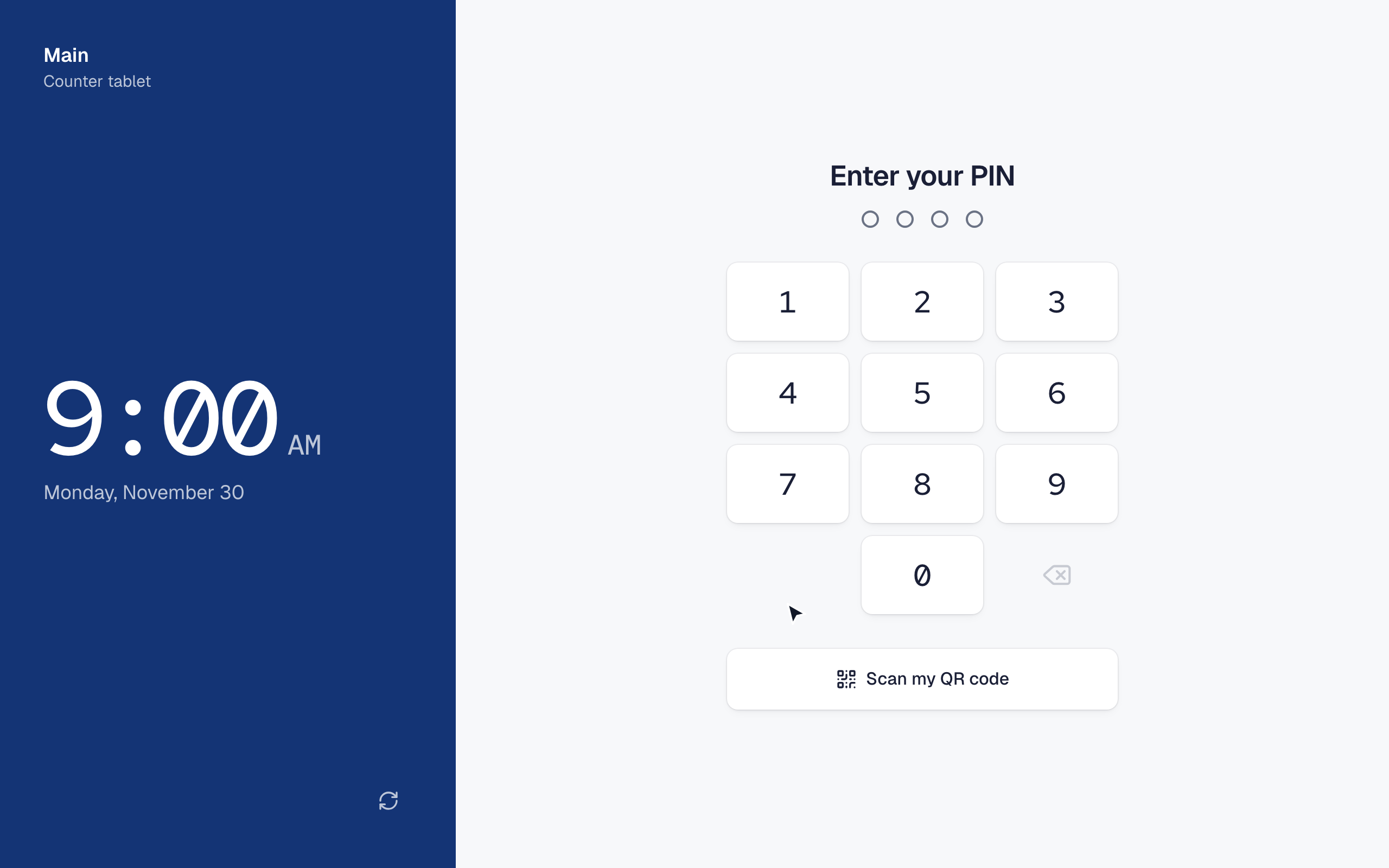
- Lock the tablet screen and bolt the stand: Turn on Android Screen Pinning or iPad Guided Access so staff cannot exit the kiosk tab to browse TikTok or settings, and mount the tablet in a simple bolted counter or wall stand.
- PIN-only vs. face checks under the Data Privacy Act (RA 10173): PIN-only mode carries minimal privacy risk, but unsupervised 4 AM openers can still share PINs unless you have an on-site supervisor or CCTV. If you enable fingerprint scanners or camera face checks, National Privacy Commission (NPC) rules require transparency, legitimate purpose, and proportionality (showing why PIN alone is not enough), a posted workplace privacy notice stating purpose and retention period, and deletion of biometric templates or photos upon expiry or employee separation.
- Flagged punch alerts before payday: Missed clock-outs, late arrivals, and unscheduled punches should surface in one review queue before payroll runs, not surprise you while printing payslips.
- Reusable hardware: A ₱5,000–₱7,000 Android tablet or older iPad can be replaced at any mall in an hour if dropped, unlike proprietary biometric terminals that wipe local templates when the motherboard dies.
General information for Philippine employers, not legal or tax advice. Sample templates and computations are starting points—verify specific cases with DOLE, BIR, or your accountant or labor counsel before acting on them.